
By Simon Bell. Publisher: adventuretwinkle Small Screen Review.
Read the whole screen
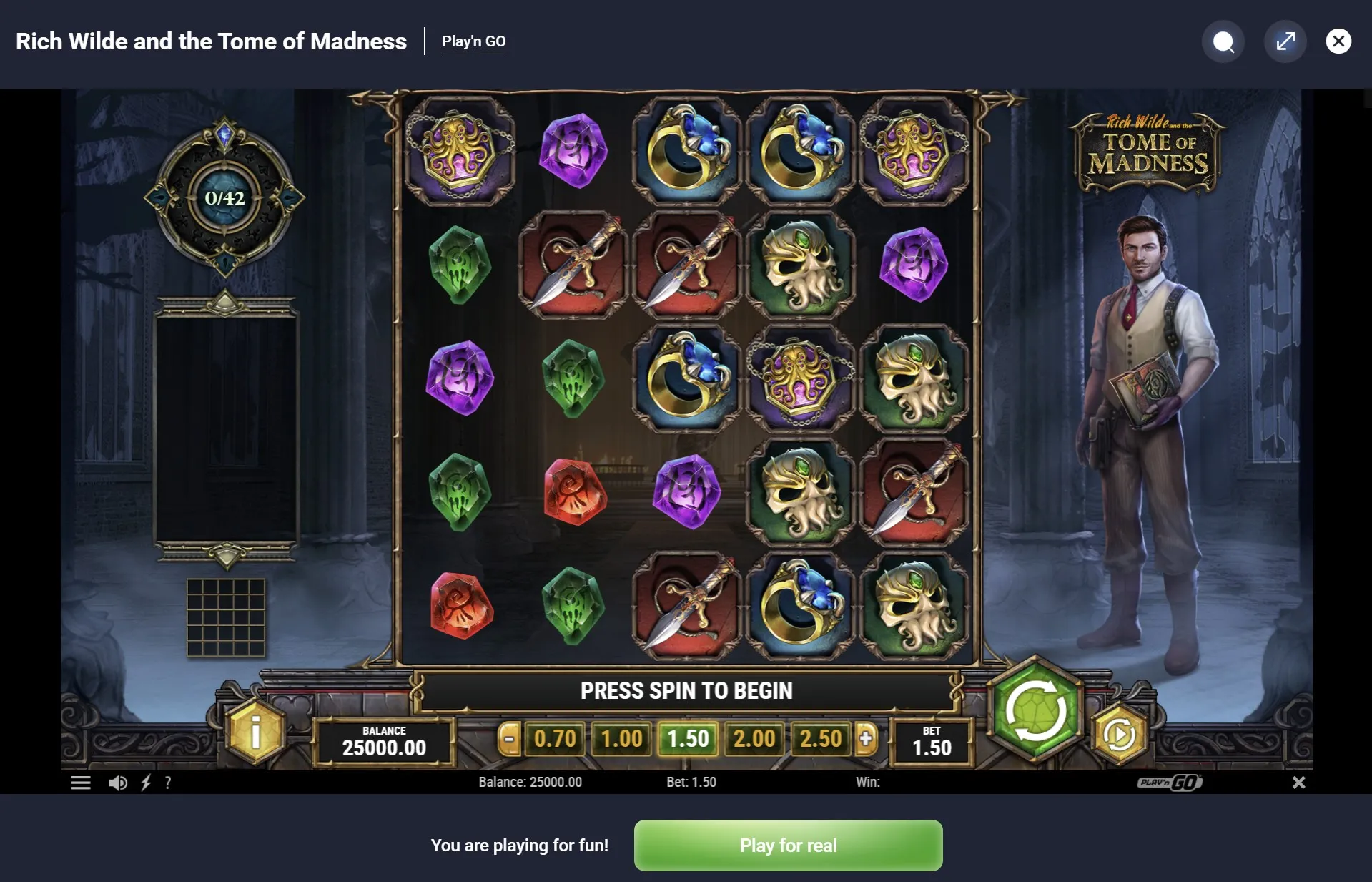
Mobile social casino controls can sit close together, especially when a game shares space with browser bars. Before playing, find the help button, the selected round setting and the control that starts an action. You should be able to tell them apart without guessing from colour or the position of an icon.
Look beyond the largest button. A small label may explain the unit being used, while a menu contains sound or display options. If text is cut off, try a supported change of orientation or the browser’s available viewing controls. Check the result before continuing; not every embedded game responds in the same way.
In 2026, a familiar phone still does not guarantee a familiar layout. A browser update, a changed page or a different game can move the controls. Treat a fresh screen as something to read again. This is a practical viewing habit, not a claim that any particular device offers a better chance of a game result.
Check the purpose of a control
| Control | What to confirm |
|---|---|
| Main action | Whether one tap starts one round |
| Amount selector | The currently selected value |
| Sound menu | Which sounds the setting changes |
| Help | Where rules and symbols are explained |
Sound deserves its own check. A device volume setting and an in-game sound option may have different effects. Lower the volume before testing, particularly in a shared space. If a voice conversation is also running, make sure you can hear the people you intended to spend time with rather than only the game.
Make deliberate actions
Give each tap a clear purpose. Repeated tapping while an animation runs can make it harder to know which action the screen accepted. Wait for the displayed state to settle, then read the controls again. A slower first round can tell you more about the layout than a long series of hurried inputs.
- Find the help menu and read unfamiliar symbols.
- Check the current amount before starting a round.
- Tap once, then wait for the action to complete.
- Read the resulting display before choosing another action.
If a title offers automatic or faster play, read its explanation before enabling it. Look for how to stop it and what settings it keeps using. Availability varies, and this guide does not imply that such options exist in every game. Leaving an unfamiliar mode off is a complete choice, not a missed step.
- Keep the main controls clear of accidental touches.
- Pause when a notification covers part of the game.
- Check labels again after rotating the device.
- Stop to read a prompt instead of dismissing it by habit.
Mobile social casino controls are easier to understand when the numbers beside them make sense too. See the guide to virtual credits for questions about balances and round amounts. A neatly arranged screen still needs clear language; a large counter cannot explain its own purpose.
Loading and returning
A delayed screen is a reason to wait and read, rather than to press the main control repeatedly. Check for a loading message or a connection notice. If the game remains unclear, use its help information before deciding whether to reload. Do not assume that an unfinished animation tells you what the saved state is.
When returning from another app, check whether the game is paused, finished or waiting for input. Read any message about a session ending. Some experiences retain progress and others reset it; the current game’s explanation should guide you. A remembered screen from yesterday is not proof of what was kept today.
Comfort also includes being able to put the phone down. Choose a moment when you can read without juggling another task, and leave when the screen becomes more work than fun. For a simple plan, read relaxed gaming sessions. If you are talking with others, agree that a pause needs no elaborate explanation.
Author’s opinion
I judge mobile social casino controls by how easily I can understand one action and stop before the next. I prefer readable labels and a calm first look to discovering settings through repeated taps. When a screen feels cramped or uncertain, I would take a break and return with enough attention to read it properly.